 Build

Short answer: To turn a Gemini Canvas project into a real website, open the Canvas, click Export → Download code, and upload that HTML file to any web hosting on your own domain or subdomain. (The other export option, Google Sites, keeps it on Google's platform.) We did this with a full cleaning-company website Gemini built in Canvas: one file, uploaded in minutes, live with its working price calculator. Below are the exact steps, the problems to check first, and the free vs paid model difference we found.
Updated November 7, 2026: Hostinger lowered its Black Friday price. The Hostinger numbers on this page are from our new cart check that day (US, before tax).
🌐 Put your Gemini sites on your own domain
Hostinger Unlimited hosts unlimited websites, with a free domain for the first year and free SSL. Code LEARN2EARN = extra discount.
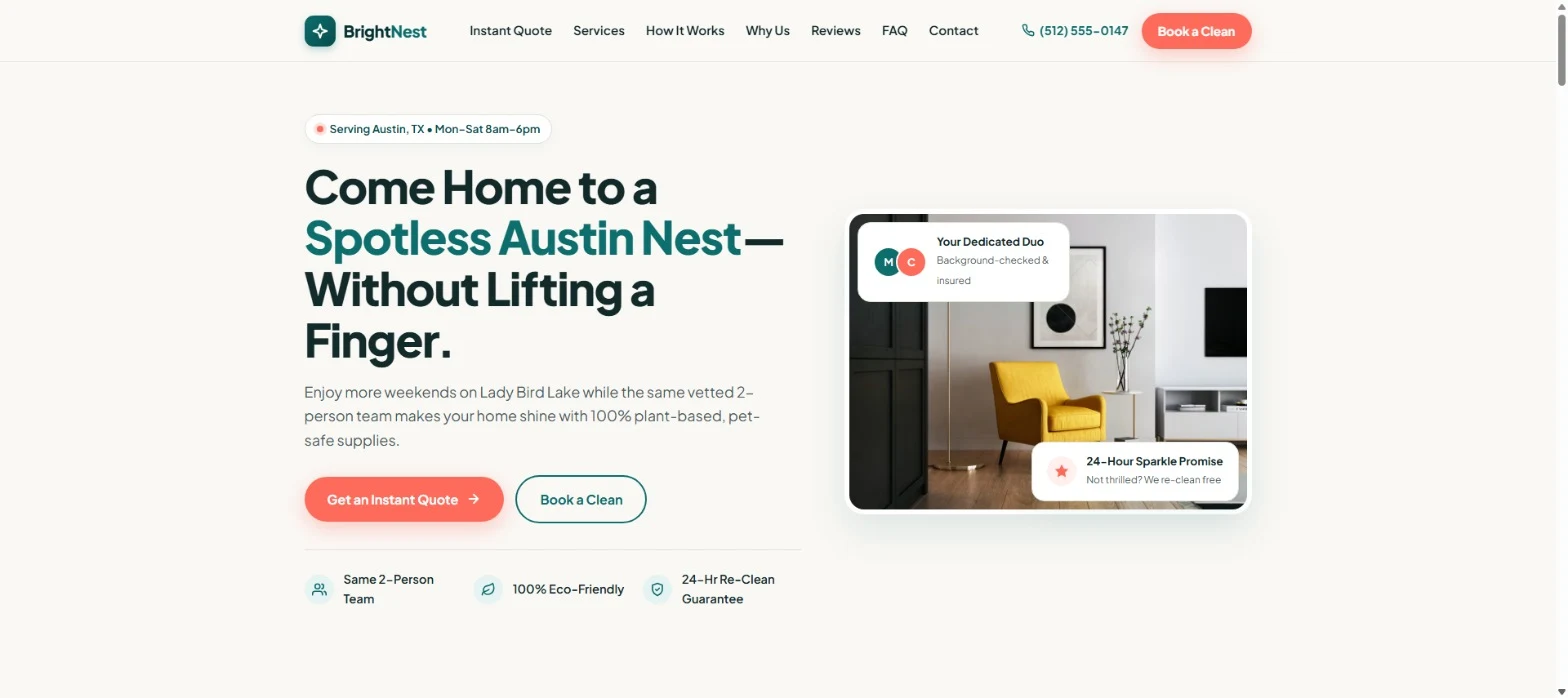
The website Gemini built for our test, live on its own subdomain after we downloaded the code and uploaded it.
Can Gemini Canvas make a real website?
Yes. Canvas writes the HTML, CSS and JavaScript and shows a live preview next to the chat. In our test (November 1, 2026) Gemini built a complete one-page site for a fake cleaning company in Austin: menu, hero, an instant price calculator, services, reviews, FAQ, booking form and privacy and terms pop-ups. The calculator math was exactly right in our test, the form validated, and the page fit a phone screen with no sideways scrolling.
What Canvas does not do is host it on your domain. The preview lives inside Gemini. To get yourbusiness.com, you export the code and host it yourself.
Step 1: Open Canvas and give it a good brief
In Gemini, click + (tools) and choose Canvas, then describe the business. The trick that worked best for us: ask Gemini to improve the brief like a senior UX designer first, then build one self-contained HTML file. Asking for one file makes the upload trivial.
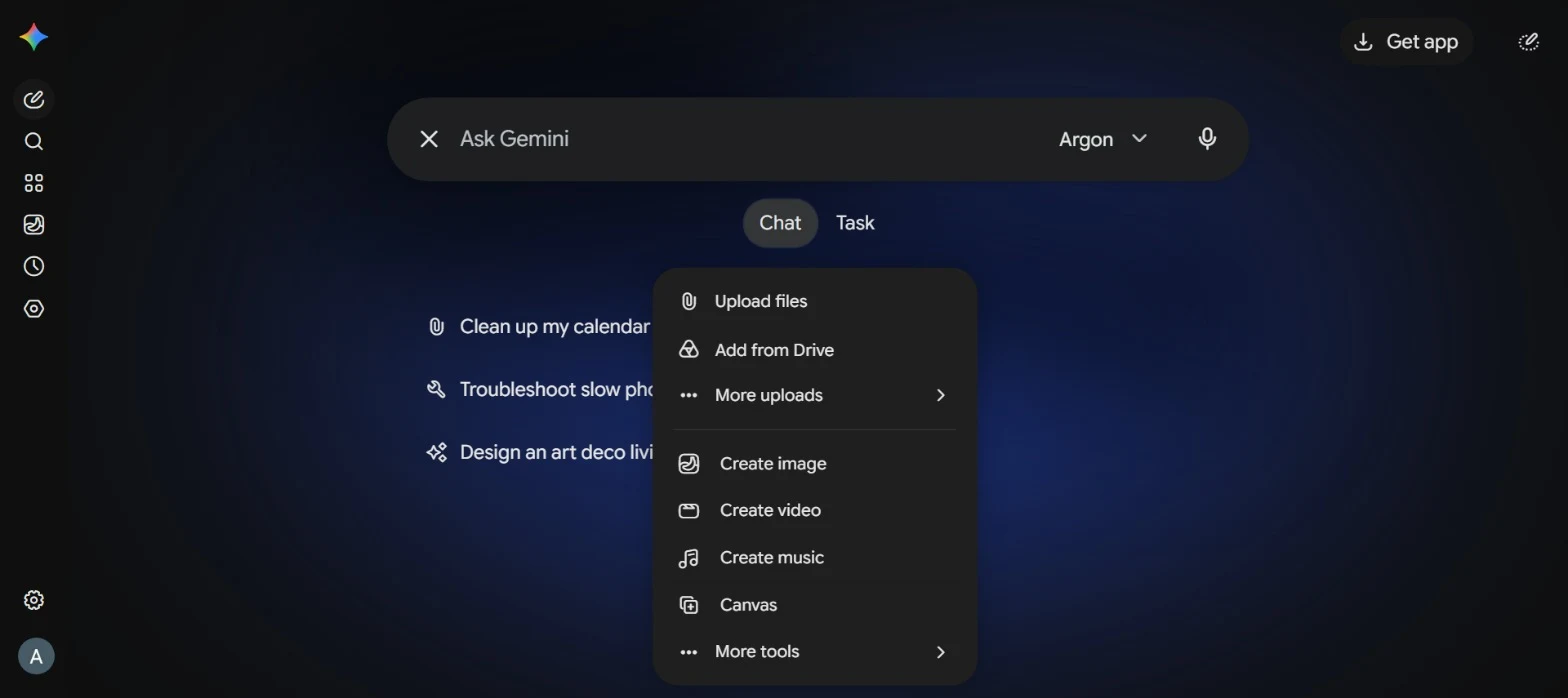
Canvas is in the Gemini tools menu (+). Pick it before you send the brief.
Step 2: Fix the draft before you export
Read the page like the business owner would, and ask Gemini for fixes in plain words. In our test one round of fixes took about a minute: a better hero photo, a sticky "Call / Get a quote" bar on phones, a favicon and social sharing tags. Check these before going live:
- Invented claims. Remove fake ratings or "most trusted in town" lines you can't prove.
- Dead links. Every menu item and button should go somewhere.
- Phone view. Ask Gemini to check the layout at phone width.
Step 3: Export → Download code
At the top of the Canvas, open Export. You'll see two options:
| Export option | What you get | Your own domain? |
|---|---|---|
| Download code | The HTML file (ours was about 110 KB) | ✅ Upload it to any hosting |
| Google Sites | Sends it to Google's site builder | Possible through Google Sites' own domain settings, but the site stays on Google's platform |
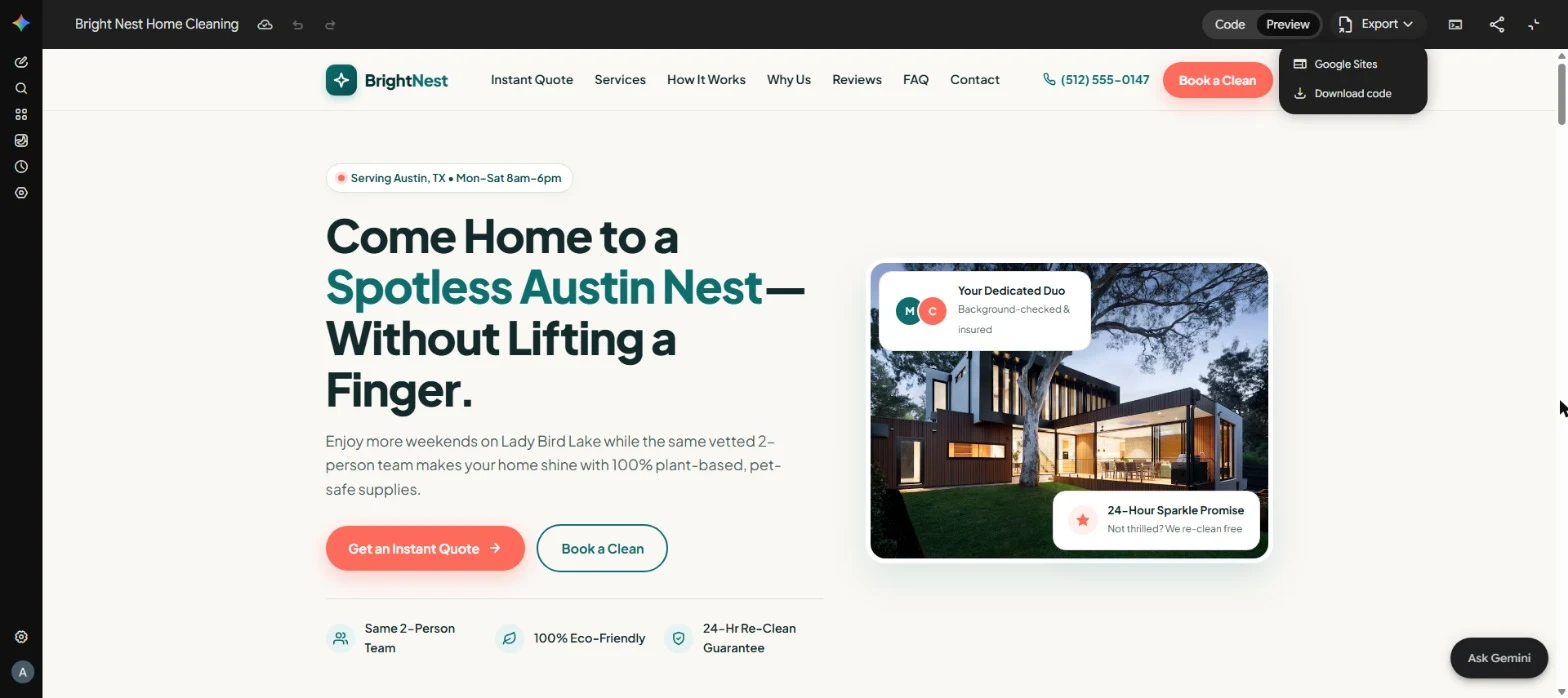
In Gemini Canvas, Export → Download code gives you the HTML file to host on your own domain.
Rename the downloaded file to index.html.
Step 4: Upload it to your hosting
- In your hosting panel, use your main domain or create a subdomain (on Hostinger: Domains → Subdomains).
- Open the File Manager, go into that folder and upload
index.html. - Open the domain. Free SSL is added automatically on Hostinger.
It's the same 4-step upload we use for Claude and ChatGPT sites; the full walkthrough with screenshots is in how to publish a Claude artifact on your own domain and how to host an HTML website made with AI. If it's only a client demo, add <meta name="robots" content="noindex"> so search engines skip it.
Free Gemini vs paid: does the model matter?
We gave the free model (3.5 Flash-Lite) and the paid one (4 Argon) the same brief in Canvas:
| Free (3.5 Flash-Lite) | Paid (4 Argon) | |
|---|---|---|
| Build time | About 1 minute | About 5 min 46 s |
| Calculator math | ✅ Correct | ✅ Correct ($290 test case) |
| Followed "no frameworks" | ❌ Used the Tailwind dev CDN (not meant for production) and Font Awesome | ✅ Self-contained file |
| Made-up claims | ❌ Added ratings and "most trusted" lines we never gave it | ✅ None |
| Dead links | 6 "#" links | Only the logo links |
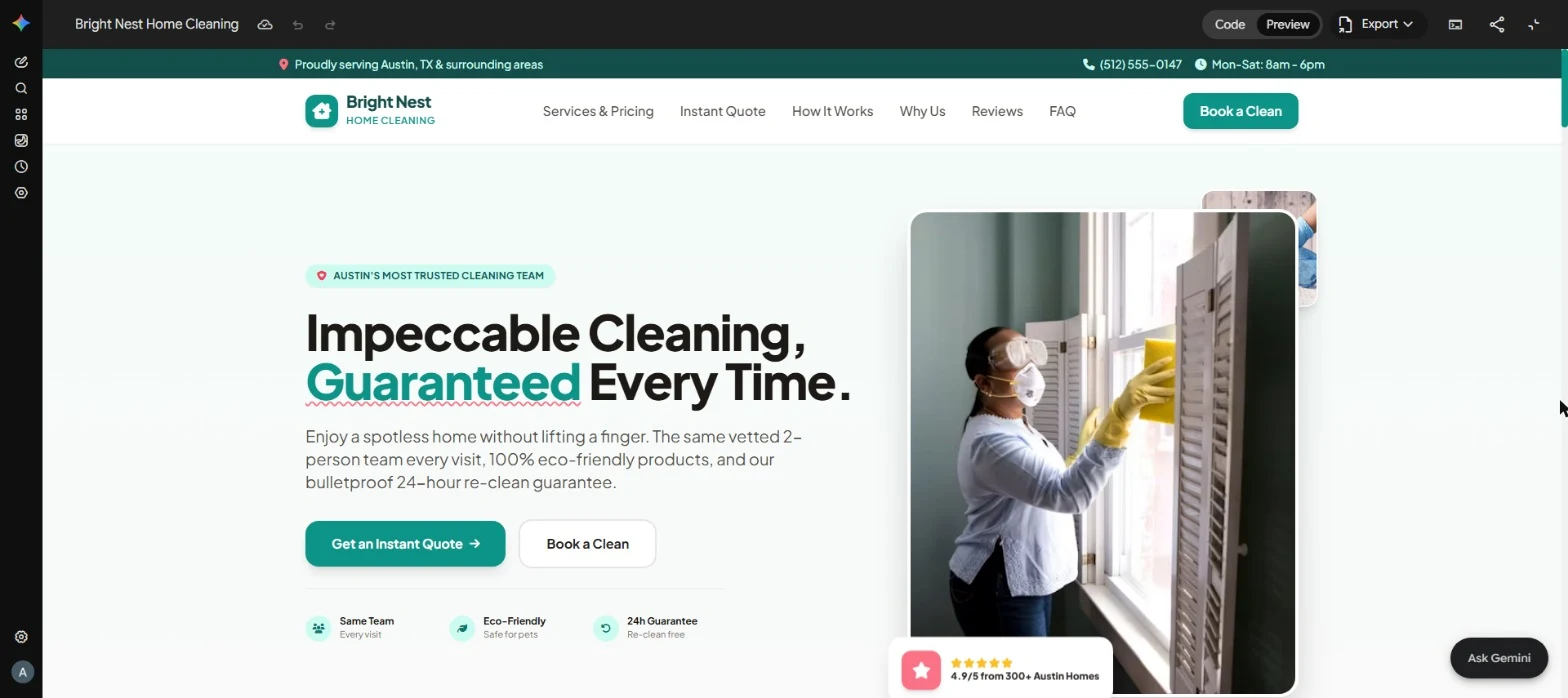
The free model's draft looked good in a minute, but we had to remove invented claims and the development CDN before using it for a client.
Our take: the free model is fine for a quick draft you check carefully; the paid model saved real fixing time for a client site. Full test: I paid $20 for Gemini 4 Argon to build a client website. What changed in the free plan: Google just limited free Gemini.
What it costs to put it online
- Gemini: Canvas worked on the free model in our test; the paid plan unlocks the stronger models.
- Hosting + domain: Hostinger Unlimited was about $121 for 4 years in our cart with LEARN2EARN (before tax), including a free domain for the first year and unlimited websites, so each demo gets its own subdomain (check today's price). One small site only? Premium vs Unlimited explains when the cheaper plan is enough.
- What a static file can't do: forms that email you, logins or a blog. For those, use WordPress or a small PHP backend; see host a PHP + MySQL app on shared hosting.
Turn it into income
Build a demo for a real local business in under an hour, put it live on a subdomain and send the link. That's how we pitch: how to find web design clients and how much to charge for a website.
🚀 One plan for all your AI-built sites
Unlimited websites, a free domain for the first year and free SSL. About $121 for 4 years with LEARN2EARN, 30-day money-back guarantee.
Need only a domain? Search for a domain on Hostinger.
Sources: our own Gemini Canvas test (November 1, 2026) · Gemini · Hostinger pricing · Tailwind Play CDN (development only).
FAQ
How do I access Gemini Canvas?
In the Gemini app, open the tools menu in the prompt box and choose Canvas, then ask for your website. The code and a live preview open next to the chat.
What can I do with Gemini Canvas?
Write and preview code (like a one-page website), edit documents, and export what you made. We exported a Canvas website and put it live on our own domain.
How do I publish a Gemini Canvas website?
Click Export → Download code in the Canvas, rename the file to index.html, and upload it to your hosting. Or choose Export → Google Sites to keep it on Google's platform.
Can I use my own domain with Gemini Canvas?
Not inside Gemini. Download the code and host it on your domain, or export to Google Sites and use Google Sites' domain settings.
Is Gemini Canvas free?
Canvas worked with the free model in our test. The stronger models are on paid plans.
Does a Gemini Canvas site work on phones?
Ours did (no sideways scrolling at 390 px), but always check and ask Gemini to fix the phone layout before exporting.
Tested by us on November 1, 2026 in Gemini (English interface) with 3.5 Flash-Lite and 4 Argon, then hosted on our own Hostinger account. Gemini's menus change often. More: our guide to building websites with AI.