 Build
Quick Answer: The Best Cheap VPS Plan for n8n
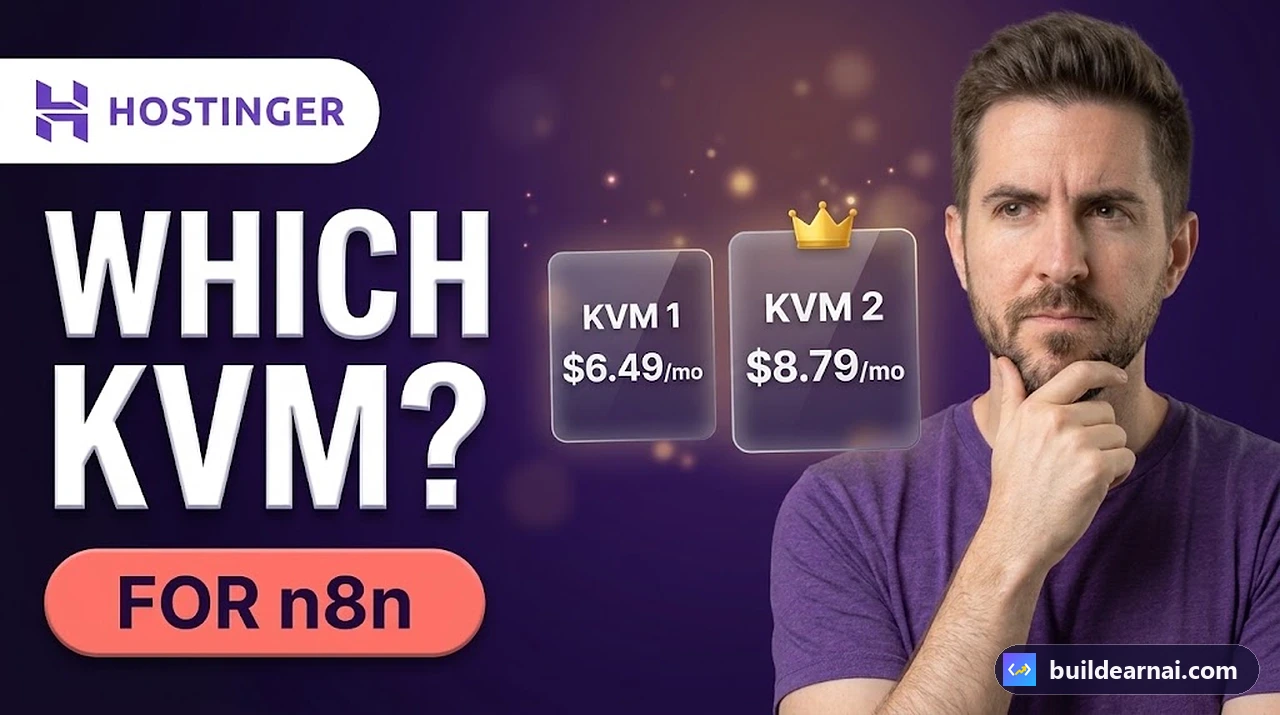
For most beginners learning n8n, Hostinger KVM 1 is a sensible starting point. It provides 1 vCPU, 4 GB RAM, and 50 GB NVMe storage for $6.49 per month on a 24-month promotional term.
We tested KVM 1 ourselves on October 18, 2026. It successfully ran n8n using Hostinger's Docker template, along with a working Telegram AI sales assistant powered by Google Gemini. We experienced no problems with that particular workflow.
However, if you are a freelancer running several client automations, we recommend considering KVM 2 as the best balance between price and resources. It doubles the CPU, RAM, and storage of KVM 1 for a relatively small increase in introductory cost.
Our recommendations depend on your intended workload:
- KVM 1: Best starting point for learning n8n, personal automations, and a few lightweight workflows using cloud AI APIs.
- KVM 2: Our preferred balance for freelancers managing several client workflows, more executions, or an additional database.
- KVM 4: Worth considering for heavier processing, queue-mode setups, or more demanding automation projects.
- KVM 8: An option for workloads that need substantially more resources, although you should evaluate the actual requirements before purchasing.
👉 See all Hostinger KVM plans and today’s prices
We have only tested KVM 1 ourselves. The recommendations for larger plans are based on their advertised specifications and expected workload differences, not our own benchmarks.
Hostinger VPS Plans and Prices for n8n (October 2026)
We checked Hostinger's US VPS pricing on hostinger.com/pricing/vps-hosting on October 27, 2026, during its Black Friday promotion.
The prices below are in USD, before tax, based on a 24-month subscription paid upfront. The monthly figures represent the effective monthly cost of that term, not a month-to-month payment arrangement.
| Plan | CPU | RAM | Storage | Price/mo | Renews/mo |
|---|---|---|---|---|---|
| KVM 1 | 1 vCPU | 4 GB | 50 GB NVMe | $6.49 | $11.99 |
| KVM 2 | 2 vCPU | 8 GB | 100 GB NVMe | $8.79 | $14.99 |
| KVM 4 | 4 vCPU | 16 GB | 200 GB NVMe | $12.99 | $28.99 |
| KVM 8 | 8 vCPU | 32 GB | 400 GB NVMe | $25.99 | $49.99 |
👉 Compare the KVM plans in Hostinger’s cart (prices change during sales).
Hostinger marked KVM 2 as its Most popular plan. That is a label displayed by Hostinger, not evidence that KVM 2 is necessary for every n8n installation.
Bandwidth also increases across the plans:
- KVM 1: 4 TB
- KVM 2: 8 TB
- KVM 4: 16 TB
- KVM 8: 32 TB
All four plans listed AMD EPYC processors, NVMe storage, free weekly backups, firewall management, a 1 Gbps connection, a public API, a free domain for one year, and a 30-day money-back guarantee.
These features are included in the advertised plans, but they do not eliminate your responsibility for securing, updating, and maintaining a self-hosted n8n installation.
Prices and promotions can change, so always check the actual checkout and renewal terms before purchasing.
What Uses CPU and RAM in n8n?
The right VPS plan depends less on how many workflows you have created and more on what those workflows actually do.
A simple automation that receives a Telegram message, calls a cloud AI API, and sends a response has different resource demands from one processing large amounts of data or running an AI model directly on the server.
1. Number of Workflows and Executions
Running several workflows does not automatically mean you need an expensive VPS. However, the number of executions and how many happen at the same time can affect resource usage.
A few workflows running occasionally may be relatively lightweight. Multiple workflows performing demanding operations simultaneously can place greater pressure on the available CPU and RAM.
2. Large Data Processing
Automations that process large datasets can require more memory than workflows that simply transfer short messages between services.
If your projects regularly manipulate substantial amounts of data, additional RAM may provide useful headroom.
3. Code Nodes
n8n can execute custom processing logic through Code nodes. The amount of CPU and memory these operations consume depends on the work being performed.
Simple transformations are not equivalent to complex calculations or processing large collections of records.
4. Cloud AI APIs Versus Local AI Models
This distinction is particularly important when choosing a VPS for AI automation.
In our Telegram bot, Google Gemini generated responses through its cloud API. The AI model itself was not running on our Hostinger VPS.
Our VPS handled the n8n workflow, API communication, and conversation memory. This kept the server-side workload relatively light.
Running a local AI model using a tool such as Ollama is different. Model inference happens on your own infrastructure and can demand substantially more computing resources.
Do not assume that KVM 4 or KVM 8 can run every local model effectively. Actual requirements depend on the model, configuration, and workload.
Which Hostinger VPS Plan Should You Choose for Your Use Case?
Here is our practical recommendation based on the type of automation you want to build.
| Use Case | Our Pick |
|---|---|
| Learning n8n | KVM 1 |
| Personal Telegram AI bot | KVM 1 |
| A few lightweight cloud API workflows | KVM 1 |
| Several client automations | KVM 2 |
| More frequent executions | KVM 2 |
| n8n with an additional database | KVM 2 |
| Heavier data processing | KVM 4 or higher |
| Queue mode with workers | KVM 4 or higher |
| Local AI models such as Ollama | Evaluate KVM 4+ against model requirements |
Why We Recommend KVM 1 for Beginners
KVM 1 gives you an affordable way to start experimenting with self-hosted automation without purchasing more computing power than your initial projects appear to need.
It was sufficient for our real Telegram AI sales bot, making it a reasonable starting point for comparable lightweight workflows.
That does not mean KVM 1 can handle unlimited bots, clients, or simultaneous executions.
Why KVM 2 Is Our Preferred Balance for Freelancers
KVM 2 provides 2 vCPU, 8 GB RAM, and 100 GB NVMe storage. Compared with KVM 1, it offers more resources for an introductory increase from $6.49 to $8.79 per month.
For someone building automations for multiple clients, that additional capacity is worth considering.
We would generally choose KVM 2 for a new freelance automation business expecting to run several workflows or keep an additional database alongside n8n.
This is a planning recommendation, not a measured guarantee of how many client workflows the plan can support.
When KVM 4 or KVM 8 Makes Sense
Consider larger plans when you have a clear reason to need more CPU, RAM, or storage.
Examples include substantial data processing, queue-mode deployments with workers, or experiments with locally hosted AI models.
Hostinger also offers an n8n (queue mode) template, although we did not test that setup. The n8n documentation explains queue mode and scaling.
Our recommendation is to avoid choosing a larger VPS simply because your project includes AI. First determine whether the AI processing happens in the cloud or directly on the server.
The Real Cost of Hostinger VPS Over Four Years
Introductory hosting prices are only part of the cost. Renewal pricing matters, particularly if you intend to operate automations for several years.
We calculated the following four-year examples using 24 months at the October 27, 2026 introductory price, followed by 24 months at the advertised monthly renewal rate.
| Plan | First 24 Months | Next 24 Months | 4-Year Total |
|---|---|---|---|
| KVM 1 | $155.76 | $287.76 | $443.52 |
| KVM 2 | $210.96 | $359.76 | $570.72 |
| KVM 4 | $311.76 | $695.76 | $1,007.52 |
For example, the KVM 1 calculation is $155.76 for the first 24 months plus 24 times $11.99 at renewal, giving a four-year total of $443.52.
Under the same assumptions, KVM 2 costs $127.20 more than KVM 1 over four years.
These are projections, not guaranteed future invoices. They assume the displayed renewal rates remain unchanged and exclude taxes, coupon discounts, and any separately billed services.
The difference between introductory and renewal prices is one reason we recommend evaluating hosting costs over several years, rather than relying only on the promotional monthly number.
👉 Lock the intro price for the full term: get a 24-month Hostinger VPS and add coupon LEARN2EARN.
For a broader explanation, read the real cost of cheap hosting.
Our Real n8n Test on Hostinger KVM 1
On October 18, 2026, we purchased a Hostinger KVM 1 VPS and deployed n8n using its Docker application template.
Hostinger offered several n8n installation options, including:
- n8n installed using Docker
- n8n (+100 workflows)
- n8n (queue mode)
- n8n with AI Assistant
We chose the standard n8n Docker template.

The n8n templates Hostinger offers when you set up a VPS.
After installation, we created a workflow called Telegram AI Sales Assistant for a demo website agency.
Its main chain was:
Telegram Trigger -> AI Agent -> Telegram Send Message
The AI Agent used Google Gemini Chat Model and Simple Memory to generate responses while retaining conversation context by Telegram chat ID.
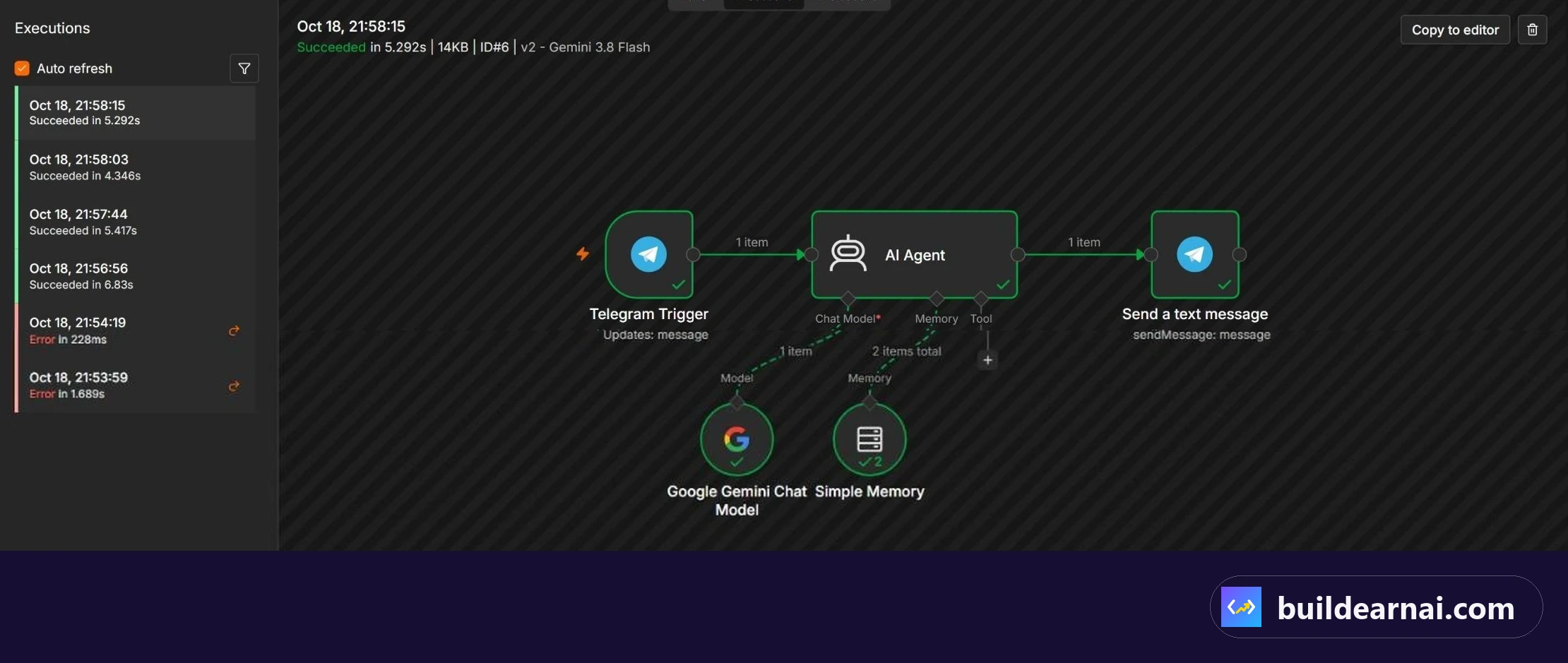
Successful runs of our Telegram AI workflow on KVM 1.
The workflow ran successfully on KVM 1. We did not encounter VPS performance problems during this test.
However, this was one lightweight workflow using a cloud AI model. We did not conduct simultaneous-user stress testing, long-term load testing, or comparative benchmarks across KVM plans.
You can see the exact process in our n8n Telegram bot build.
Shared Hosting vs VPS for n8n
Normal shared web hosting is designed primarily for hosting websites within a provider-managed environment. It is not the appropriate choice for following this self-hosted n8n Docker setup.
For the installation demonstrated in our tutorial, you need a VPS capable of running the application and its supporting containers, or you can choose a managed n8n hosting service instead.
For normal websites, shared hosting is still the cheaper choice: see Hostinger Premium vs Unlimited and our Hostinger review.
With a VPS, you have more control over the deployment, but you also take on responsibility for application maintenance, security, and backups.
If you prefer to manage your own installation, see our step-by-step guide on how to install n8n on a Hostinger VPS.
How to Save Money on n8n VPS Hosting
There are several practical ways to avoid paying more than your automation projects require.
- Start with realistic requirements. Do not purchase KVM 8 for a few lightweight API automations when a smaller plan may be sufficient.
- Compare the 24-month price. Our October 2026 pricing check used Hostinger's 24-month Black Friday offers, paid upfront. Consider whether that commitment suits your plans.
- Check available coupons. Using
LEARN2EARN, our KVM 1 cart displayed approximately $5.84 per month. Coupon availability and pricing may change. - Review renewal costs. The price you pay when renewing can be significantly higher than the promotional rate.
- Upgrade when needed. You can upgrade your Hostinger VPS later, so you do not necessarily need to buy the largest plan at the beginning.
Remember that VPS hosting cost is not necessarily the total cost of operating your automation system. Any separately billed third-party services should be considered when planning your budget.
Frequently Asked Questions
1. Is Hostinger KVM 1 enough to run n8n?
Yes, it was enough for our tested setup. We ran n8n using Hostinger's Docker template and built a Telegram AI sales assistant connected to the Google Gemini API. For learning and a few similar lightweight workflows, KVM 1 is our recommended starting point. We cannot guarantee its performance for heavier or substantially busier deployments.
2. Is KVM 2 worth the extra money for n8n?
For freelancers managing multiple client automations, we believe it is worth considering. KVM 2 doubles the advertised CPU, RAM, and storage of KVM 1. Its introductory price was $8.79 per month compared with $6.49 for KVM 1. We recommend it as a balanced option, although we have not independently benchmarked it.
3. Can I run n8n and Ollama on the same Hostinger VPS?
Running a local AI model alongside n8n requires more resources than calling a cloud model through an API. We suggest evaluating KVM 4 or higher for this type of project, but the appropriate size depends on the specific Ollama model and workload. We did not test Ollama, so we cannot confirm that any particular KVM plan will deliver acceptable local AI performance.
4. Can I upgrade my Hostinger VPS if n8n needs more resources?
Yes, Hostinger allows VPS upgrades. That means you can begin with a smaller plan and move to more resources as your workflows become more demanding. We recommend monitoring your actual usage and checking the current upgrade terms before making changes.
Final Verdict: Which KVM Plan Would We Buy?
If we were starting again with the same Telegram AI sales assistant, we would choose KVM 1. It handled our real workflow successfully, and paying for substantially more resources would not have been justified by that test alone.
For a freelancer planning to build and manage automations for several clients, our preferred choice would be KVM 2. The additional CPU, RAM, and storage provide more room to grow at a relatively modest introductory price difference.
We would reserve KVM 4 or KVM 8 for projects with demonstrably heavier requirements, rather than recommending them to every beginner interested in AI automation.
The most important distinction is between running an automation that calls an external AI service and running an AI model locally. Those are very different workloads.
Start with what your workflows actually need, account for renewal pricing, and upgrade when real usage justifies it. That is a more practical approach than buying the most powerful VPS simply because it has the highest specifications.
Our pick for most readers: start with Hostinger KVM 1 for n8n, or go straight to KVM 2 if you build for clients. Use coupon LEARN2EARN at checkout.
Affiliate link: we may earn a commission at no extra cost to you. It does not change our tests or recommendations.