 Build
Short answer: Choose Hostinger's AI Website Builder for a simple business site, landing page or quick client demo you want live today; choose WordPress (Hostinger even installs it with an AI draft) for a blog, a store, bookings, a membership site or anything you expect to grow. Both come with the same hosting plans. We built a real site with each on Hostinger: a cafe site with the AI Builder in about 10 minutes, and a five-page coaching site with WordPress and AI in one evening. Here is what we learned.
Updated November 7, 2026: Hostinger lowered its Black Friday price. The Hostinger numbers on this page are from our new cart check that day (US, before tax).
🧩 Both are included
Hostinger Web Hosting Unlimited includes the AI Website Builder and one-click WordPress, plus a free domain for the first year. Code LEARN2EARN = extra discount.
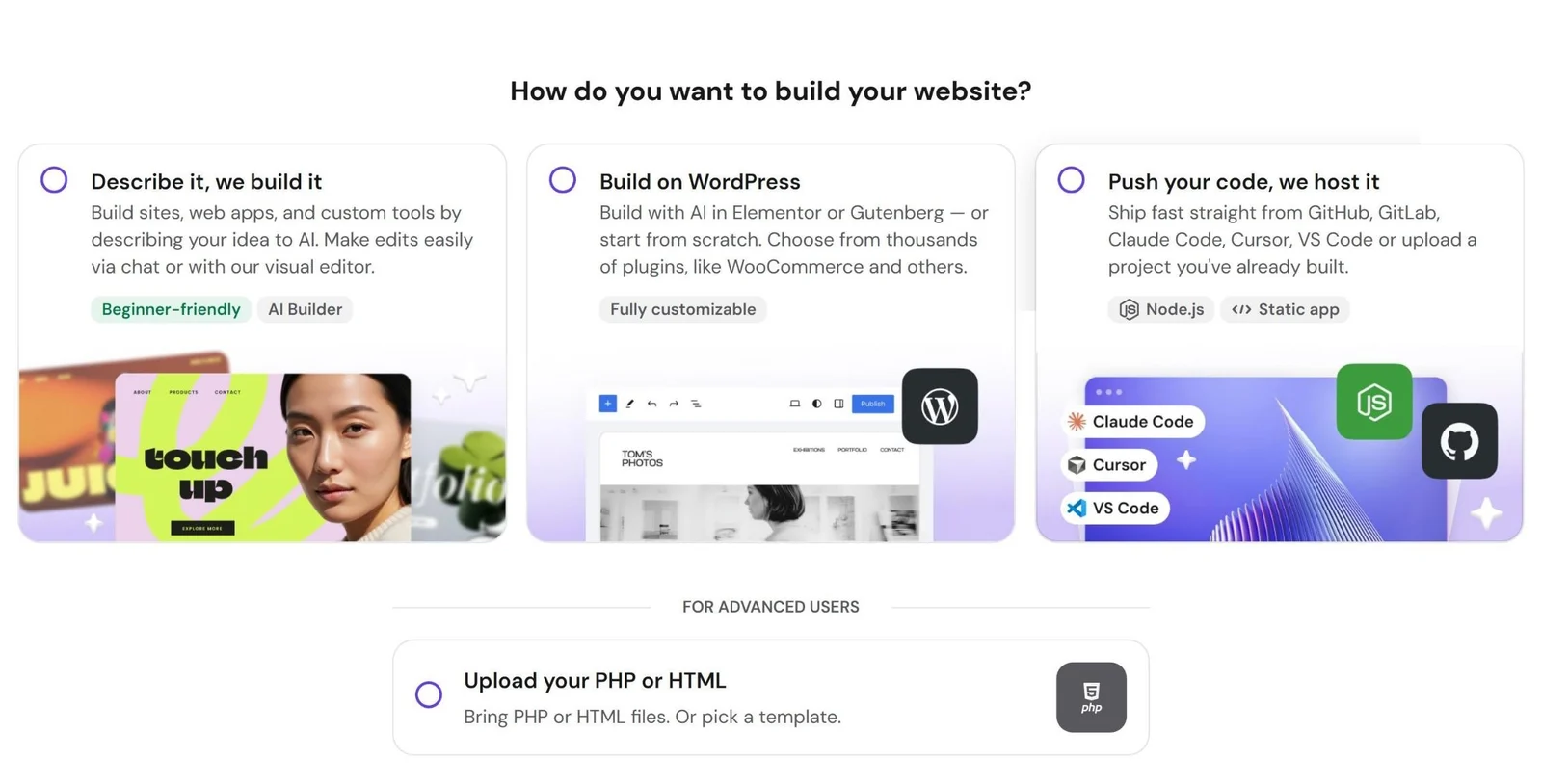
You choose at setup: "Describe it, we build it" is the AI Builder, "Build on WordPress" installs WordPress with AI in Elementor or Gutenberg.
The quick comparison
| Hostinger AI Builder | WordPress (on Hostinger) | |
|---|---|---|
| Time to a live first draft | Minutes (our cafe site: about 10 minutes) | Minutes for the AI draft, an evening to finish properly |
| Learning curve | Very easy: drag, drop, chat | Moderate: themes, plugins, settings |
| Features and growth | Built-in tools (store, blog, SEO, AI tools) | Thousands of plugins: stores, bookings, memberships, languages |
| Moving to another host | Stays on Hostinger's platform | Portable: move it to almost any host |
| Extra costs | AI credits for bigger AI changes | Premium themes and plugins if you want them |
| Best for | Local businesses, landing pages, quick client sites | Blogs, stores, bookings, sites that will grow |
What building with the AI Builder is really like
You describe the business and the builder creates pages, text and images, then you edit in a visual editor with an AI assistant on the side. Our cafe site, "Brew Haven", was live in about 10 minutes. The builder is included in Hostinger's web hosting (see the AI Website Builder).
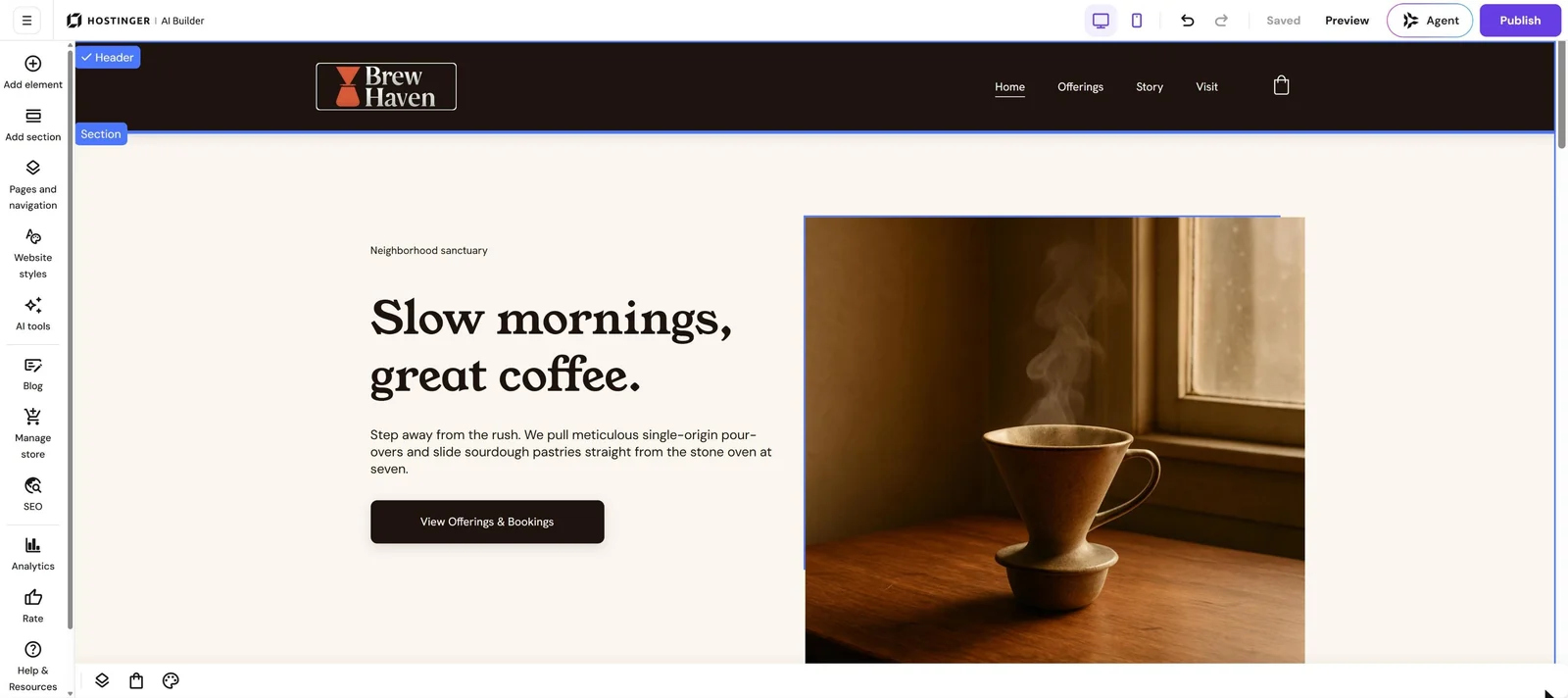
The AI Builder editor: add sections, change styles, and use AI tools, the blog, the store and SEO from the left menu.
The catch: the AI draft still needs a human. In our landing page project we removed a fake product section, added real prices, an FAQ and legal pages, and fixed the header. Watch every step in build a landing page that sells with Hostinger AI Builder and the 10-minute build in I built a website with Hostinger AI Builder.
What building with WordPress (+ AI) is really like
Choose "Build on WordPress" and Hostinger installs WordPress and opens its AI website builder, which creates a first draft in Elementor or Gutenberg. Our coaching site draft took about three minutes (the first try failed, the second worked). Then we spent the evening finishing it: we deactivated WooCommerce the AI added for no reason, added a header button, rebuilt the footer, added prices and a real FAQ, and set up privacy and terms pages.
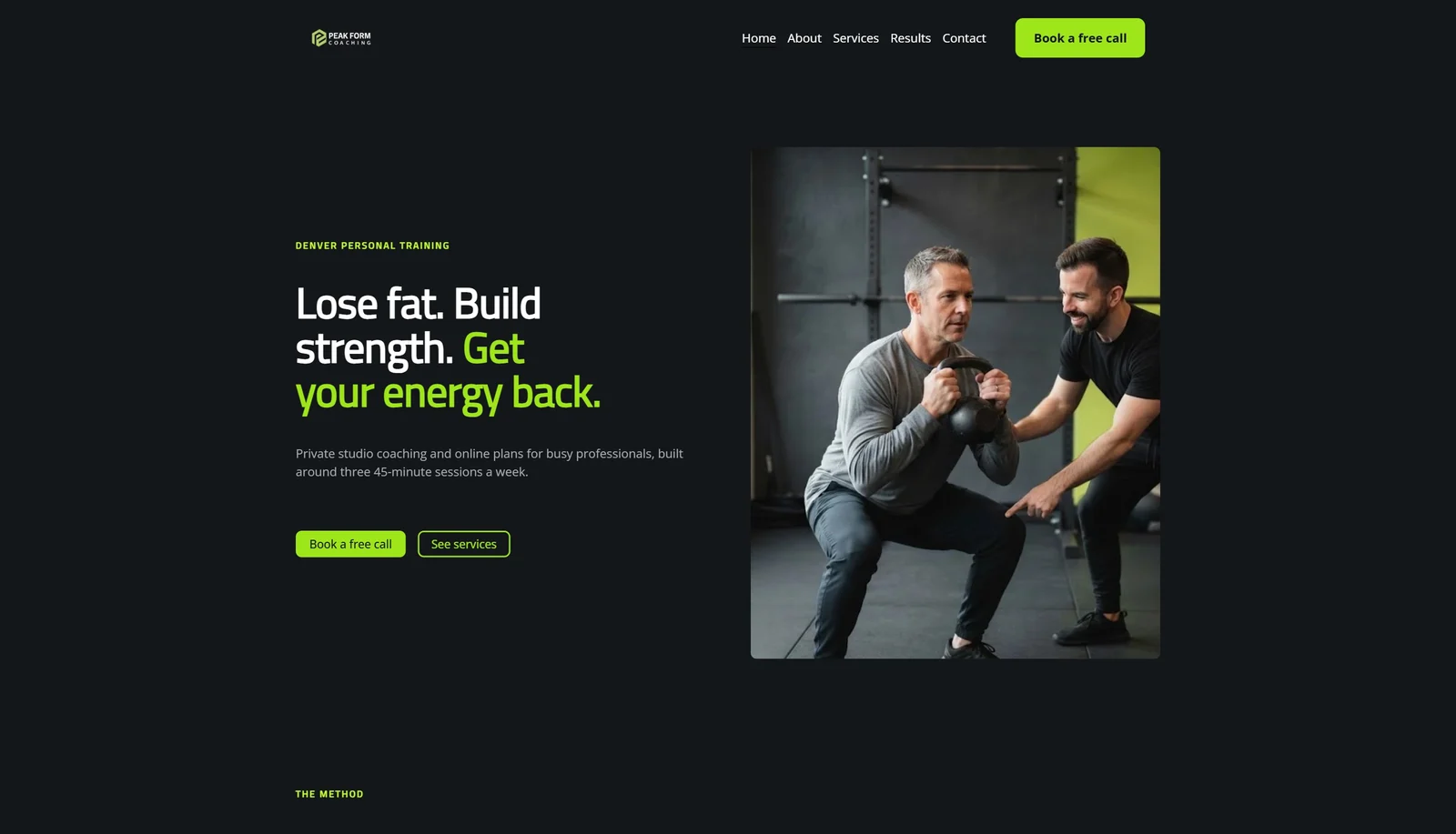
The finished WordPress site after the fixes: more work than the AI Builder, but every part can grow with plugins.
Every step is in our guide how to make a website in 2026 (WordPress + AI).
Which one should you choose?
Choose the AI Builder if…
- You need a simple site that brings calls and bookings, live today.
- You are a beginner and don't want to manage plugins and updates.
- You are a freelancer making quick demos to win clients. See how to find web design clients.
Choose WordPress if…
- You are building a blog, a serious online store, bookings or memberships.
- You want to be able to move the site to another host one day.
- You sell bigger, higher-paying client projects that need custom features.
Freelancer tip: use the AI Builder for quick, simple client projects, and WordPress for bigger ones. On a plan with unlimited websites you can do both: Hostinger Unlimited hosts unlimited sites.
Which Hostinger plan do you need?
When we bought hosting, Premium did not include the AI tools, while Unlimited did, along with unlimited websites, daily backups and a free CDN. Check the plan page before you buy, because features change. Compare the two in Hostinger Premium vs Unlimited, and see what you pay after the first term in Hostinger renewal prices.
🚀 Try both on one plan
Unlimited came to about $121 for 4 years in our cart with LEARN2EARN (before tax), with a 30-day money-back guarantee.
Sources: Hostinger AI Website Builder · WordPress.org · Hostinger pricing.
FAQ
Is the Hostinger AI Website Builder better than WordPress?
For speed and simplicity, yes. For features, growth and moving to another host, WordPress is better. Many people start with the AI Builder and use WordPress for bigger projects.
Can I use AI with WordPress on Hostinger?
Yes. When you choose "Build on WordPress", Hostinger's AI creates the first draft in Elementor or Gutenberg, and you edit it in WordPress.
Can I move an AI Builder site to WordPress later?
Not automatically. You would rebuild the pages in WordPress. If you expect to grow, start with WordPress.
Is the AI Builder good for SEO?
It has SEO settings built in, and it's fine for local business sites. For content-heavy SEO (a big blog), WordPress gives you more tools.
Based on our own builds on Hostinger in October and November 2026. Want the bigger picture? Read our guide on building a website with AI or the full Hostinger review.